Top GAMES

A Little to the Left

Become A Fashion Designer

Friday Night Funkin vs Hatsune Miku

The Choicer Voicer
VOTED GAME
The Choicer Voicer 2

Sharks and Minnows
Rooftop Snipers 2

Eye Catching FNF







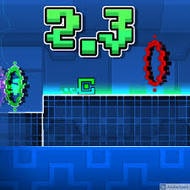
What happens the instant a portal in Geometry Dash 2.3 swaps your cube into a ship mid-jump? Nothing pauses to explain it — the controls just change under your fingers, gravity flips or holds depending on the portal color, and the beat driving the level keeps going whether you’ve adjusted or not. That single moment of forced adaptation is the entire game distilled into two seconds.
Every portal in Geometry Dash 2.3 changes something specific: some swap the cube form into a ship, ball, UFO, or wave, others flip gravity outright, and a level can chain several of these back to back with almost no gap between them. The danger isn’t any single portal — it’s the transition immediately after one, since the input that kept a cube alive a half-second earlier can be exactly what crashes a ship into the ceiling.
Spikes and saw blades punish hesitation just as often as bad timing; a player who taps a fraction of a second late in cube form usually survives, but the same delay in ship mode, where holding versus tapping changes trajectory rather than a single jump, tends to end the run immediately.
Geometry Dash 2.3’s level design is built directly around its music — obstacle spacing lines up with the beat closely enough that experienced players stop watching individual spikes and start listening instead, timing jumps to the track rather than to what’s visually approaching. This is part of why memorized levels feel completely different from blind attempts: once the rhythm is internalized, the same layout that looked chaotic on a first try starts to feel almost predictable.
New players consistently underestimate how much the music matters until they try muting it, at which point even a familiar level suddenly feels harder to read.
Practice mode in Geometry Dash 2.3 breaks a level into a run with placeable checkpoints, letting players isolate one brutal portal sequence without replaying everything before it. It’s the tool most players lean on to learn a level’s rhythm section by section, though checkpoint progress doesn’t count toward an official clean run — only a full attempt from the very start does.
The Lite build of Geometry Dash 2.3 trims the available level count compared to a full release, but the difficulty and mechanical depth of the levels that are included stay exactly as demanding — this isn’t a watered-down tutorial version, it’s a smaller slice of the same unforgiving rhythm-platforming. Players sometimes assume “Lite” implies an easier difficulty curve and get a rude introduction to portal-chaining within the first couple of levels.
That usually means a portal transition is being misread — try isolating that section in practice mode and pay attention to whether the required input is a single tap or a held press right after the form changes.
Harder for most experienced players, since level layouts are paced to the beat and losing that audio cue removes a timing reference many regulars rely on more than they realize.
Checkpoints placed in practice mode only help with learning a section — an official clean completion requires a single unbroken run from the very start of the level to the end.
Geometry Dash 2.3 never slows down to let a player catch their breath — every portal, every beat, and every form change assumes you’re already keeping pace with the music underneath it.