Top GAMES

A Little to the Left

Become A Fashion Designer
Friday Night Funkin vs Hatsune Miku

The Choicer Voicer
VOTED GAME
The Choicer Voicer 2

Sharks and Minnows
Rooftop Snipers 2

Eye Catching FNF





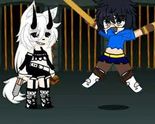
Gacha Heat looks like it should open on a pull screen and a currency counter, but it plays like a quiet dress-up studio instead — no drop rates, no summon animation, just a blank avatar and a long column of sliders waiting to be touched. The game hands you one anime-style face and lets you decide everything else: skin tone first, then hair, then the shape and color of the eyes before makeup even enters the picture. Players who came in expecting a gacha loop tend to relax fast once they realize the actual hook is patience, not luck.
| Genre | Anime Avatar Customization |
| Platform | Browser |
| Controls | Mouse / Tap |
| Core Loop | Layer, preview, save |
The skin-tone step in Gacha Heat isn’t a single swatch pick — it’s a gradient wide enough that two players rarely land on the exact same base, and that base quietly locks in how later makeup shades read on the model. Hair comes next, and it’s less about length than silhouette: a short bob reads completely differently once eye color and eyebrow shape are set behind it, so regulars learn to rough in the face before committing to a hairstyle. Makeup sits last in this stage on purpose, since blush and eyeliner intensity look wrong against an unfinished skin tone.
What surprises new players is how much the eye-shape option changes the model’s expression without a single line of dialogue changing. A rounder eye reads younger and softer; a narrower, angled shape reads sharper, almost defensive. None of this is explained anywhere in Gacha Heat’s interface — it’s something you notice only after building four or five faces back to back and comparing screenshots.
Once the face is locked, the wardrobe layer opens up: full outfits, standalone tops and bottoms, shoes, and a smaller tray of accessories that stack on top of everything else. Outfits and accessories don’t always fight for the same layer, which means a jacket can sit over a dress without erasing it — a detail casual players often miss because they assume swapping an outfit resets the whole look. The shoe selection is smaller than the hair or outfit trays, which is the one place the wardrobe clearly runs thinner than the face-building tools.
Saving the finished avatar is the step most first-time players skip past without noticing, since nothing on screen demands it the way a “continue” prompt would. Community chatter around Gacha Heat tends to focus less on any single outfit piece and more on face combinations — specific eye-shade-and-hairstyle pairings that people screenshot and compare, treating the whole thing more like a portrait tool than a wardrobe game.
Gacha Heat never asks you to fight for a rare pull or grind a currency bar — the entire game is the eye-shape slider, the skin-tone gradient, and the moment a finished face finally looks like something worth saving.