Top GAMES

A Little to the Left

Become A Fashion Designer

Friday Night Funkin vs Hatsune Miku

The Choicer Voicer
VOTED GAME
The Choicer Voicer 2
Sharks and Minnows
Rooftop Snipers 2
Eye Catching FNF





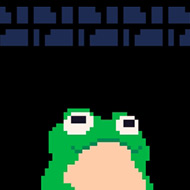
What happens when you stop trusting your own momentum halfway up a well in Froglegs? You bounce off the wrong wall, lose the height you spent thirty seconds building, and land right back where the climb started — and that single moment of doubt is the whole game distilled into one bad jump.
| Genre | Physics Platformer |
| Platform | Browser (PICO-8) |
| Controls | Two buttons — Z/X (keyboard) or O/X (mobile) |
| Players | 1 (single player) |
Froglegs strips a platformer down to two inputs and dares you to make them feel like enough. One button kicks the frog left, the other kicks it right, and every jump inherits speed and angle from whatever surface you bounced off last. There’s no up button, no dedicated jump — direction and momentum are the only tools you get, which means the game is really teaching physics before it teaches platforming.
Beginners almost always get this backwards: they mash both buttons trying to muscle their way upward the way they would in a normal jumper, and the frog just ricochets between walls with no control at all. The trick players eventually pick up on is timing the release, not the press — letting the frog’s arc carry it into the next wall at the right angle instead of forcing another bounce too early.
Early in the game the wells are wide enough to forgive sloppy timing, so new players often assume Froglegs is gentler than it actually is. That assumption breaks fast once the walls narrow and a single mistimed bounce costs an entire climb’s worth of progress instead of a few inches.
The wells themselves are where the difficulty lives. Each one is a vertical shaft the frog has to escape by bouncing wall to wall, and the game leans hard into the genre lineage of brutal single-screen climbers like Jump King — punishing precision over speed, and making every wasted bounce feel personal. By the time you reach the deeper wells, the margin for error narrows to almost nothing, and a single overcorrection sends the frog sliding back toward the bottom.
Players who’ve spent time in the itch.io comments describe the early wells as unexpectedly harsh for a game built with such a goofy, 1-bit sense of humor — the joke that circulates is comparing it to a punishing Souls-style climb, which sticks because the difficulty curve really does front-load its hardest lessons instead of easing players in. That mismatch between tone and difficulty is one of the more divisive things about Froglegs: some players find the contrast charming, others find it a little unfair for a game that looks this lighthearted.
Once the speedrun mode becomes relevant — accessible from the pause menu — the wells stop being obstacles and start being a course to optimize. The camera zooms out, stats appear on screen, and suddenly the same bounce that frustrated a first-time player becomes a benchmark a speedrunner is trying to shave fractions of a second off. Casual players tend to stop at “I got out,” while speedrun-minded players treat every well as a puzzle with an ideal bounce path.
Just two — Z and X on keyboard, or O and X on mobile and PICO-8 — mapped to left and right. There’s no separate jump button; movement direction alone generates the bounce, which is why momentum control matters more than reaction speed.
No confirmed save or checkpoint system carries you between wells, which is part of why a bad bounce late in a climb stings as much as it does — you’re rebuilding height, not just retrying a short segment.
Turning it on from the pause menu zooms the camera out and displays run statistics, letting players track and compare their bounce efficiency through each well instead of just playing for the sake of escaping it.
Froglegs never explains its physics in a tutorial screen, and it doesn’t need to — the wells teach it themselves, one bad bounce at a time, until the frog’s momentum stops feeling like an accident and starts feeling like something you actually control.